Profit & Loss Statement
Your weekly P&L. The single page that answers "did I make money this week?". Everything is calculated from your Items, Stock counts, Deliveries, and Expenses — you only need to enter the Revenue.
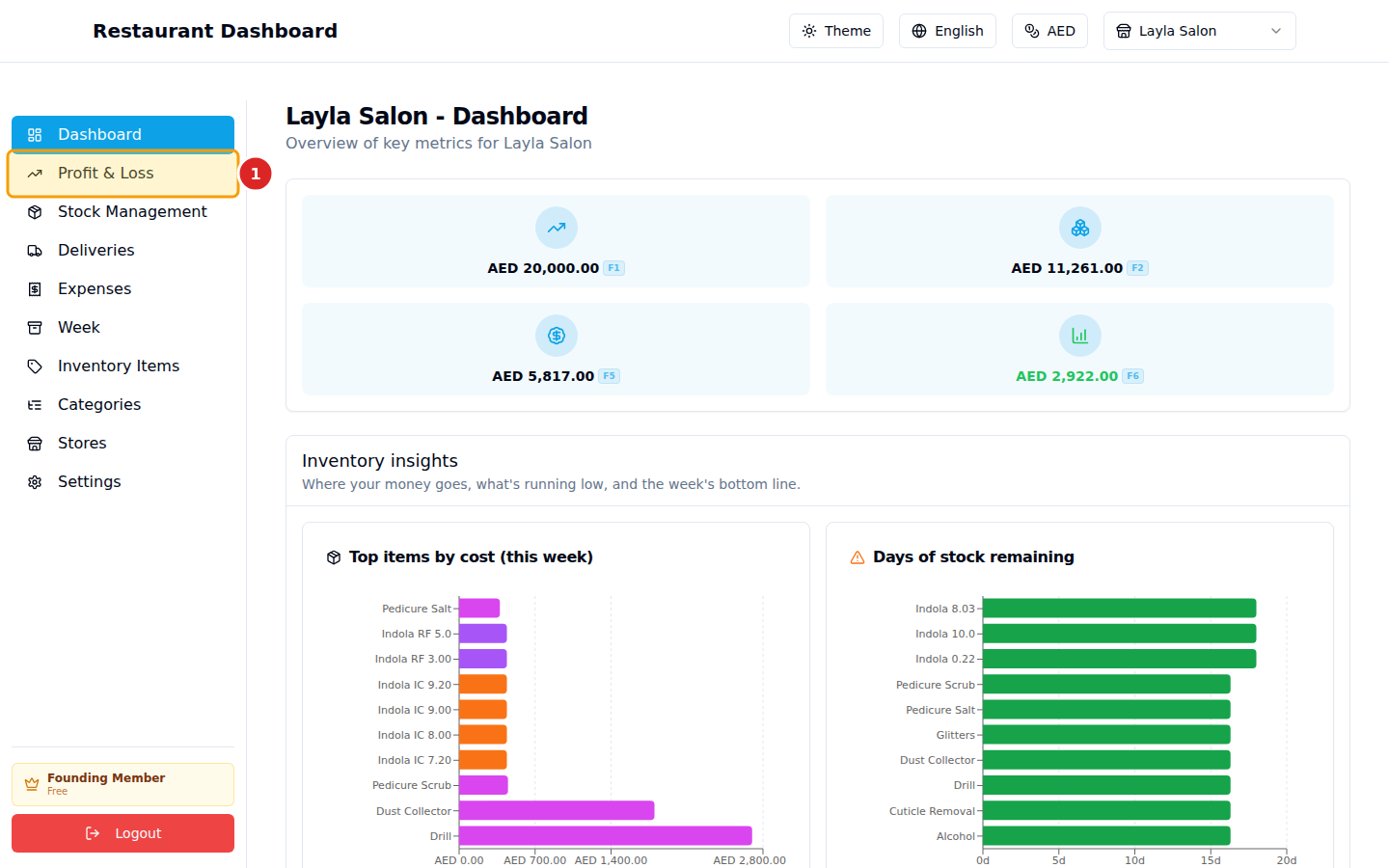
1. Open Profit & Loss
2. Read the cards
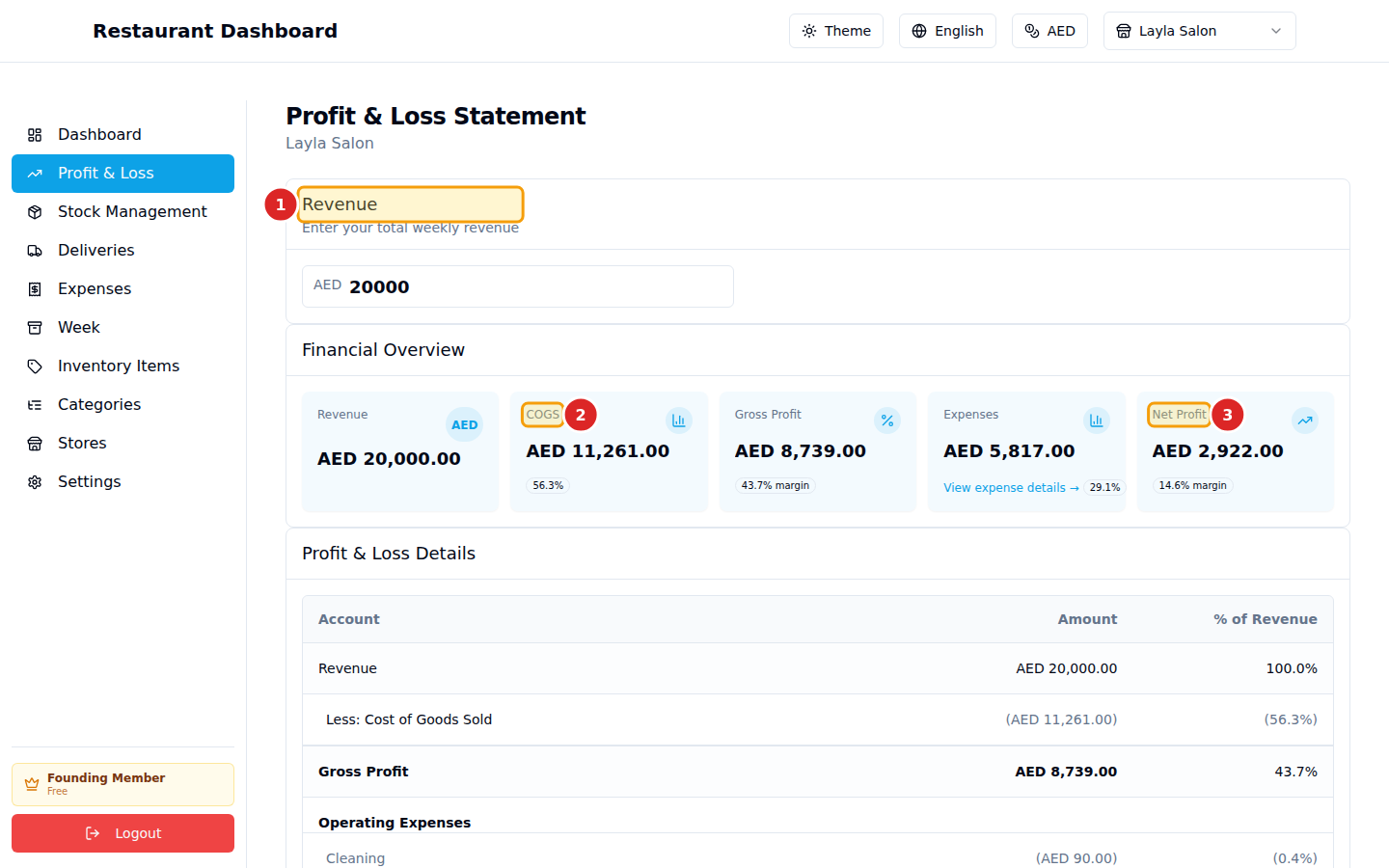
- Revenue — the only field you enter. Total sales for the week.
- COGS — Cost of Goods Sold, computed from your usage × prices.
- Net Profit — Revenue − COGS − Expenses.
The other two cards (Gross Profit, Expenses) are intermediate values shown for clarity.
The detail table
Below the cards, a line-by-line P&L breakdown:
Revenue                 AED 20,000.00     100.0%
Less: Cost of Goods Sold (AED 11,261.00)   56.3%
─────────────────────────────────────────
Gross Profit            AED  8,739.00      43.7%

Operating Expenses:
  Rent                  (AED   3,000.00)   15.0%
  Wages                 (AED   1,800.00)    9.0%
  Utilities             (AED     900.00)    4.5%
  …
Total Expenses          (AED   5,817.00)   29.1%
─────────────────────────────────────────
Net Profit              AED  2,922.00      14.6%
Every percentage is of revenue. The COGS percentage is your food cost percentage — restaurant industry tends to target 28–35%; your actual will tell you if your prices, portions, or waste are off.
Workflow
- End of week: enter your Revenue at the top.
- Make sure you've entered Ending counts on Stock Management.
- Make sure your Expenses for the week are recorded.
- Read the Net Profit number.
That's the full weekly cycle. The Week page archives this snapshot so you can compare week-over-week later.